Cleaning an oven is one of those household jobs almost everyone postpones. Grease builds up, cheese spills over, and forgotten crumbs turn into blackened debris. Then you notice the button labeled Self Clean.
Press one button, wait a few hours, and wipe away the ash. It sounds like the perfect solution.
Not so fast.
A high-temperature self-cleaning cycle can expose an oven to some of the most extreme heat it will experience during its working life. The feature does not damage every oven, and manufacturers design compatible models to perform the cycle. However, our appliance technicians repeatedly encounter ovens that stop heating, remain locked, display error codes, or suffer component failures during or shortly after self-cleaning.
The cycle may reveal a part that was already weakening, or the prolonged heat may place additional stress on an aging component. This guide explains what homeowners should understand before pressing that button and how to clean an oven naturally without another extreme-heat cycle.
Key Takeaways
| Question | What Homeowners Should Know |
|---|---|
| How hot does a self-cleaning oven get? | Many high-temperature cycles exceed 800°F, depending on the model and selected setting. |
| Does self-cleaning damage every oven? | No, but prolonged heat can expose weak components and contribute to failures in some appliances. |
| What problems do technicians encounter? | Stuck door locks, open thermal fuses, failed controls, damaged wiring, sensor errors, fan problems, and heating failures. |
| Which ovens may face greater risk? | Older ovens, heavily soiled ovens, appliances with existing temperature problems, and models with weak cooling or electrical components. |
| Is there a safer alternative? | Manual cleaning with baking soda, water, mild dish soap, and a small amount of diluted vinegar can remove most buildup. |
| When should you request service? | When the oven remains locked, will not heat, trips the breaker, smells like burned wiring, or displays persistent error codes. |
Technician’s note: A problem appearing after self-cleaning does not prove that the cycle was the sole cause. Extreme heat often exposes a component that was already deteriorating. This article reflects recurring conditions our technicians encounter during oven service calls.
What Is a Self-Cleaning Oven?
A high-temperature self-cleaning oven uses a process often called pyrolytic cleaning. Instead of dissolving grease with a chemical cleaner, the oven heats its interior to an extremely high temperature for several hours.
The heat carbonizes food spills and grease, reducing much of the residue to powdery ash. After the cycle ends and the oven cools, the homeowner wipes the remaining ash from the interior.
Whirlpool’s explanation of self-cleaning and steam-cleaning ovens states that high-temperature cycles can reach upward of 800°F. The exact temperature and cycle length depend on the manufacturer and model.
During a typical cycle, the oven:
- Locks its door automatically.
- Activates its cooling or ventilation system.
- Heats well beyond ordinary baking temperatures.
- Maintains that heat for an extended period.
- Remains locked until it reaches a safer temperature.
A standard baking temperature might be 350°F to 450°F. Self-cleaning exposes components to substantially more heat for much longer than an ordinary cooking cycle.
Why the Feature Is Appealing
Less Scrubbing
The cycle can remove baked-on spills that would otherwise require considerable wiping and scraping.
Fewer Commercial Cleaners
High-temperature cleaning does not require a conventional chemical oven cleaner.
Automatic Door Locking
The door locks during the hottest portion of the cycle to prevent it from being opened.
Convenient Controls
The homeowner selects the cycle, allows it to run, and wipes away the ash later.
The concern is not that the feature never works. The concern is what can happen when extreme heat meets an aging appliance, a weakened component, heavy grease, or an existing electrical problem.
Damage Our Technicians See After Self-Cleaning
These are among the most common problems homeowners report during or after running a high-temperature oven-cleaning cycle.
A Door Lock That Will Not Release
The locking system may include a latch motor, locking arm, position switch, wiring, control-board relay, and temperature-based safety circuit.
Failure symptoms can include:
- “LOCKED” remaining on the display
- Repeated clicking near the door
- A door that opens only partially
- Nonresponsive controls
- A lock-related error code
Do not pull forcefully on the door. Excessive force can damage the latch, hinges, frame, or glass.
A Blown Thermal Fuse or Open Safety Device
Ovens may contain a thermal fuse, high-limit thermostat, thermal cutout, temperature limiter, or another safety device that interrupts operation when excessive heat is detected.
After one opens, the oven may have:
- A blank display
- No oven heat
- No interior light
- A nonresponsive touch panel
- A door that remains locked
Replacing the safety device without identifying why it opened can lead to another failure.
Failed Controls and Touch Panels
Modern electronic controls manage heating, temperature monitoring, locking, fans, timers, displays, and safety shutdowns. Many controls sit above the oven cavity, where heat rises.
Possible symptoms include:
- A blank or flickering display
- Buttons that no longer respond
- Random beeping
- Repeated fault codes
- Bake or broil functions that no longer operate
Our guide to how much appliance repair should cost explains why final pricing depends on diagnosis, model, labor, and part availability.
Heat-Damaged Wiring and Connections
Prolonged heat can expose already-weakened wires, connectors, relays, terminals, and plastic housings.
Technicians may find:
- Discolored terminals
- Brittle wire insulation
- Loose connectors
- Burned terminal blocks
- Melted housings
- Evidence of electrical arcing
Stop using the appliance if you notice smoke, visible sparking, repeated breaker trips, or a burning electrical odor.
Temperature-Sensor Problems
The temperature sensor tells the control how hot the cavity has become and helps determine when the door may unlock.
A sensor, wiring, or control problem may cause the oven to:
- Heat too much or stop too early
- Display a temperature-related error
- Remain locked after cooling
- Burn food during ordinary cooking
- Take too long to preheat
A sensor-related error does not automatically mean that the sensor itself is defective. Wiring and controls must also be evaluated.
Broken Bake or Broil Elements
An older element may contain a weak spot that blisters, cracks, shorts to ground, or breaks open after prolonged high-temperature operation.
Warning signs include:
- A visible break or blister
- Bright arcing or sparking
- No heat from bake or broil
- Uneven cooking
- A breaker that trips when heating begins
Do not continue operating a visibly damaged heating element.
Cooling-Fan and Ventilation Failures
Many wall ovens and electronic ranges use a cooling fan to move heat away from sensitive controls.
Possible symptoms include:
- The oven shuts down during cleaning
- The fan grinds or rattles
- The control panel becomes unusually hot
- An overheating error appears
- The display fails after the cycle
Airflow can also be restricted by grease, debris, improper installation, or a blocked vent.
Warning Signs After an Oven-Cleaning Cycle
Universal fault-code lists can be misleading because the same code can have different meanings across brands and models. Symptoms provide a more practical starting point.
| What You Notice | What May Need Inspection |
|---|---|
| Door remains locked after the oven is cool | Latch motor, lock switch, wiring, sensor, or control board |
| Display is blank | Thermal fuse, power supply, wiring, or electronic control |
| Oven will not heat | Element, igniter, fuse, relay, thermostat, or control |
| Breaker trips during heating | Shorted element, damaged wiring, or electrical connection |
| Repeated clicking near the door | Lock motor, latch mechanism, or position switch |
| Error code returns after a reset | Sensor, lock circuit, wiring, or electronic control |
| Food burns or remains undercooked | Sensor, thermostat, calibration, control, or heating component |
| Electrical burning smell | Wiring, terminal, relay, motor, or control-board damage |
| Fan runs continuously | Temperature reading, fan relay, control, or trapped heat |
| Smoke comes from the control panel | Stop using the oven and disconnect power when it is safe |
When a GE oven displays errors or stops working after cleaning, the exact model number is important. Palm Coast homeowners can learn more about GE appliance repair in Palm Coast.
Why Problems Often Appear in Older Ovens
A self-cleaning cycle can be the moment when an existing weakness becomes a complete failure.
An older appliance may already have:
- A slow cooling fan
- A weakened control relay
- A loose terminal
- Brittle wire insulation
- A partially failing latch motor
- A temperature sensor drifting out of range
- A heating element with an internal weak point
- Grease restricting an air passage
- A deteriorated door gasket
The oven may continue working at 350°F because ordinary cooking is less demanding. A long high-temperature cycle creates a much harsher operating environment.
Think of it like driving an older vehicle up a steep mountain in extreme heat. The climb may not create every underlying problem, but it can reveal weaknesses that were not obvious during easier driving.
Smoke, Odors, Children, Pets, and Oven Fires
Some odor during high-temperature cleaning may be expected, especially when residue remains in the oven. Heavy grease and sugary spills can create significantly more smoke.
Manufacturers commonly recommend:
- Removing loose food and grease first
- Ventilating the kitchen
- Running the range hood
- Opening nearby windows when appropriate
- Keeping children away from the appliance
- Moving pets to another room
- Keeping the oven vent unobstructed
Bird safety: Some birds are extremely sensitive to fumes produced during self-cleaning. Follow the manufacturer’s instructions and move birds to another closed, well-ventilated room.
Do not leave the house while a self-cleaning cycle is operating. Remain close enough to monitor unusual smoke, odors, sounds, or error messages.
What to Do if a Fire Starts Inside the Oven
- Turn the oven off if you can do so safely.
- Keep the oven door closed.
- Do not pull the range away from the wall.
- Do not throw water into the oven.
- Leave the home if the fire grows or smoke spreads.
- Call 911 from a safe location.
- Have the oven inspected before using it again.
Read the National Fire Protection Association’s cooking and oven-fire guidance for additional household safety information.
When You Should Skip the Self-Clean Cycle
Your Oven Is Older
Older wires, motors, relays, sensors, elements, and connectors have experienced more heating and cooling cycles.
The Oven Already Has a Problem
Do not use self-cleaning to test an oven that heats inconsistently, displays codes, trips the breaker, has a noisy fan, or smells like burned wiring.
The Interior Contains Heavy Grease
Large amounts of grease or food residue can create excessive smoke and increase the possibility of an oven fire.
The Door Does Not Close Correctly
A damaged hinge, latch, gasket, or misaligned door can interfere with safe operation.
You Have Pet Birds
Follow the manufacturer’s bird-safety instructions. Moving a bird only a few feet away may not provide enough separation.
You Need the Oven for a Holiday
Do not test a rarely used self-cleaning function immediately before Thanksgiving, Christmas, or another important meal.
Replacement Parts Are Obsolete
Consider whether essential latches, controls, fans, and electronic boards remain available for an older premium oven.
Is Every Self-Cleaning Cycle Unsafe?
No. Many homeowners use the feature without experiencing a failure. Manufacturers design compatible ovens to handle high temperatures, and the feature can operate successfully when the appliance is in good condition and the instructions are followed.
Our concern is based on repair experience: when a failure occurs, it can be inconvenient and expensive. Manual cleaning avoids exposing the appliance to another extreme-temperature cycle.
Homeowners who still use self-cleaning should:
- Follow the owner’s manual for the exact model
- Remove racks unless the manual permits them to remain
- Remove cookware, probes, foil, mats, and stored items
- Wipe away heavy soil and grease first
- Avoid applying commercial cleaner before the cycle
- Avoid damaging or scrubbing the door gasket
- Keep vents unobstructed
- Ventilate the kitchen
- Keep children and pets away
- Remain home while the cycle operates
A Safer Alternative: How to Clean Your Oven Naturally
Manual cleaning takes more effort, but it avoids the prolonged extreme heat of a pyrolytic self-cleaning cycle.
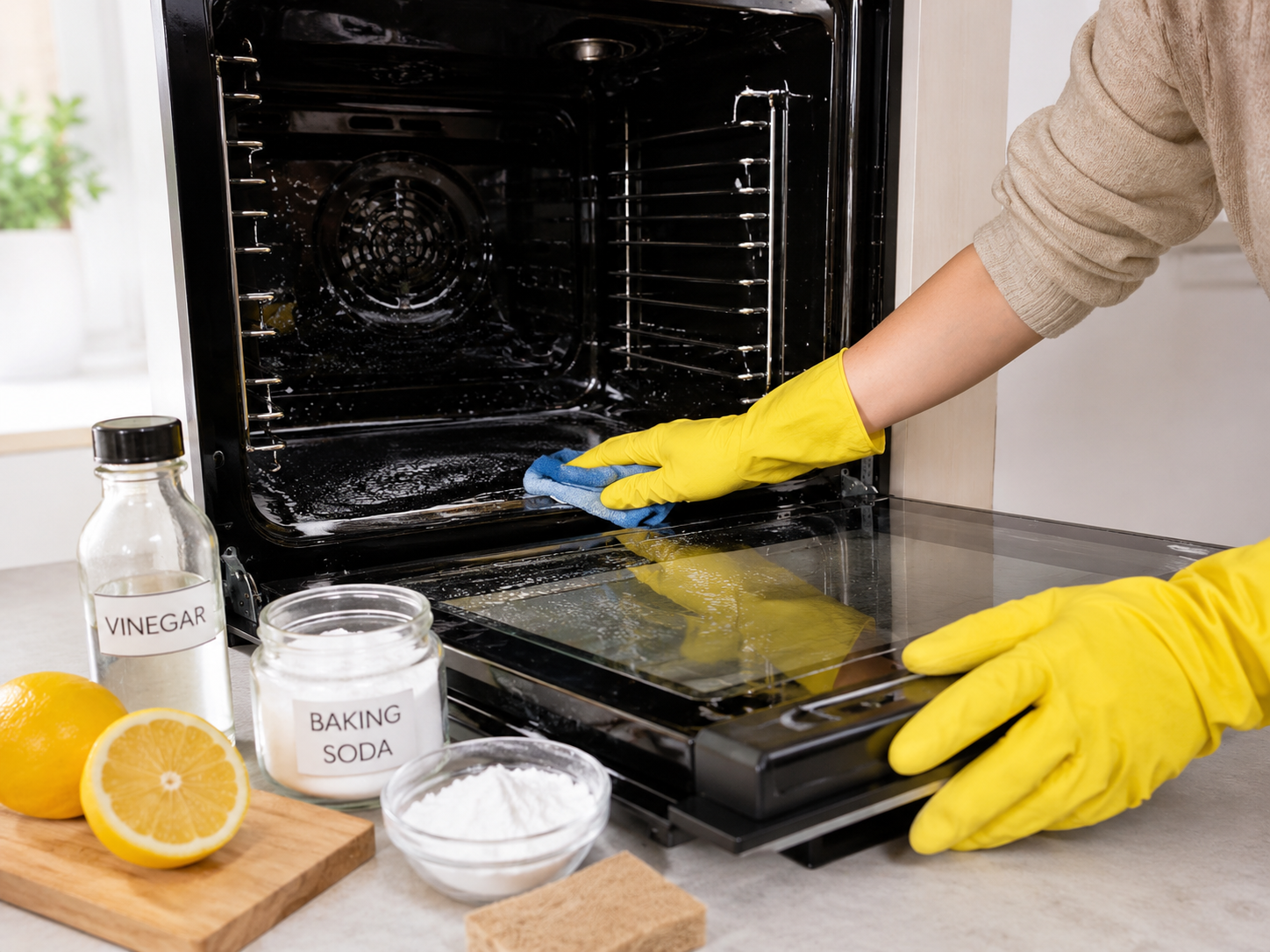
For many ovens, baking soda and water can soften burned-on residue. Mild dish soap can help remove grease, and a small amount of diluted white vinegar can remove the remaining baking soda film.
Maytag’s manual oven-cleaning guidance also discusses baking soda and water as an alternative to conventional oven cleaner.
Check the owner’s manual first. Oven finishes, catalytic panels, steam-clean coatings, concealed components, and rack requirements vary by model.
Natural Oven-Cleaning Supplies
| Item | Purpose |
|---|---|
| ½ cup baking soda | Creates a mild cleaning paste |
| 2–4 tablespoons of water | Adjusts the consistency of the paste |
| Mild dish soap | Helps remove grease from washable surfaces |
| White vinegar | Helps remove remaining baking soda residue |
| Spray bottle | Applies diluted vinegar in a controlled amount |
| Rubber gloves | Protects hands from grime |
| Microfiber cloths | Wipe away paste and loosened residue |
| Soft non-scratch sponge | Cleans without aggressive abrasion |
| Plastic or silicone scraper | Lifts softened food without using metal |
| Old towels | Protect the floor in front of the oven |
| Small bowl | Holds the baking soda paste |
| Soft-bristle brush | Reaches corners and textured areas |
Read the Owner’s Manual
Confirm whether the oven has porcelain enamel, catalytic panels, a steam-clean coating, a concealed element, an exposed element, a gas burner beneath the floor, or special rack requirements.
Turn the Oven Off and Let It Cool
Make sure all controls are off and the oven is completely cool. Do not apply water or paste to a hot cavity. Place towels on the floor to catch crumbs and drips.
Remove Everything From the Cavity
Take out racks, probes, thermometers, pizza stones, pans, foil, liners, and anything stored inside the oven.
Wipe Out Loose Food
Use a dry cloth, soft brush, or vacuum attachment to remove crumbs. Wipe easily removable grease with a damp cloth and mild dish soap.
Make the Baking Soda Paste
Combine ½ cup of baking soda with approximately 3 tablespoons of water. Add water gradually until the mixture is thick enough to cling to a vertical surface.
Apply the Paste Carefully
Spread a thin layer over greasy and burned-on areas. Avoid heating elements, gas openings, the igniter, connectors, sensor openings, fans, vents, lock openings, and the flexible door gasket.
Let the Paste Work
Allow at least 20–30 minutes for light soil. Leave it for several hours or overnight for heavier buildup. The paste may turn brown as it absorbs grease.
Clean the Oven Racks Separately
Soak the racks in warm water and mild dish soap. Use a soft sponge or non-scratch pad, then rinse and dry them completely.
Wipe Away the Softened Residue
Use a damp microfiber cloth and rinse it frequently. For stubborn spots, use a plastic or silicone scraper at a shallow angle. Do not use knives or screwdrivers.
Use Diluted Vinegar for Remaining Film
Mix equal parts vinegar and water. Lightly mist areas where baking soda remains, then wipe with a clean damp cloth. Do not pour liquid into the oven or saturate openings.
Clean the Interior Door Glass
Apply a small amount of paste to accessible interior glass, keeping it away from vents, hinges, trim openings, and the gasket. Professional service may be safer when residue is trapped between glass panels.
Perform a Final Water-Only Wipe
Use a clean cloth and plain water to remove every trace of baking soda, vinegar, and dish soap. Several passes may be necessary.
Dry and Reassemble the Oven
Dry the cavity and allow it to air-dry with the door open. Reinstall dry racks, confirm that no cleaning tools remain inside, and verify that the door closes normally.
Special Notes for Gas, Electric, and Steam-Clean Ovens
Gas Ovens
Do not:
- Flood the oven floor with water
- Force paste into burner slots
- Coat the igniter
- Insert tools into gas openings
- Remove a secured oven floor without instructions
If you smell gas, stop cleaning, leave the area, and follow your gas provider’s emergency instructions.
Electric Ovens
Avoid coating exposed heating elements or electrical connections. A concealed element beneath the oven floor does not mean the floor should be flooded with water.
Stop using the oven if an element is cracked, blistered, or visibly burned.
Steam-Clean Ovens
Manufacturer-designed steam cycles use water and lower heat to soften light soil. They are not the same as high-temperature pyrolytic cleaning.
Use only the amount of water specified by the manufacturer. Do not add vinegar, baking soda, essential oils, or cleaner unless the manual specifically permits it.
How Often Should You Clean an Oven?
| Condition | Recommended Response |
|---|---|
| Fresh spill | Let the oven cool and wipe it promptly |
| Light crumbs | Remove them during routine kitchen cleaning |
| Small grease spots | Clean them before they bake on repeatedly |
| Moderate buildup | Use baking soda paste and manual wiping |
| Heavy grease | Clean in stages rather than using excessive liquid |
| Smoke during cooking | Stop, cool the oven, and identify the residue |
| Electrical odor or sparking | Stop using the appliance and request service |
Use properly sized baking dishes and an approved lower catch pan to reduce spills. Never cover the oven floor or ventilation openings with foil.
When to Stop Cleaning and Call an Appliance Technician
Manual cleaning should not turn into appliance disassembly. Arrange professional diagnosis when:
- The door remains locked after the oven is cool
- The oven does not heat
- The control panel is blank
- A breaker repeatedly trips
- You smell burned wiring
- The oven sparks or arcs
- An error code returns after a basic reset
- The cooling fan is noisy or does not operate
- The oven overheats during ordinary cooking
- The door glass is cracked
- The gasket is torn or displaced
- Liquid has entered the door or control panel
- A heating element is visibly damaged
- You smell gas
When an older appliance needs an expensive control, wiring harness, or multiple repairs, review our guide explaining whether to repair or replace your oven.
Oven Repair Service in Florida
Palm Coast and Northeast Florida
If your oven stopped heating, remained locked, or displayed an error after self-cleaning, avoid repeatedly restarting the cycle.
General Appliance Service provides appliance repair in Palm Coast, Flagler Beach, and surrounding communities in Flagler, St. Johns, and Volusia counties.
Homeowners farther north can also review our St. Augustine appliance repair information.
South Florida Oven Service
General Appliance Service provides professional oven and cooktop repair throughout portions of Palm Beach and Broward counties.
Provide the appliance brand, model number, symptoms, displayed error codes, and service address when requesting an appointment.
Scheduling note: Northeast Florida and South Florida appointments are scheduled separately. Use the phone number and scheduling option corresponding with your location.
Frequently Asked Questions About Self-Cleaning Ovens
Can a self-cleaning cycle damage an oven?
It can contribute to or expose a component failure, particularly when the oven is older or already has a weak latch, fuse, fan, relay, sensor, wire, or heating element. It does not damage every oven.
Why did my oven stop working after self-cleaning?
Possible causes include an open thermal fuse, failed high-limit thermostat, damaged control board, defective door lock, sensor problem, overheated wiring, or failed heating component.
A proper diagnosis normally requires the model number, wiring diagram, fault history, and electrical testing.
How long should the oven remain locked?
The door should remain locked until the oven cools to the temperature specified by the manufacturer. Cooling can continue well after the active cleaning time ends.
If the door remains locked after the oven is completely cool, consult the manual before attempting a reset. Do not force the door open.
Can I cancel the cycle after it begins?
Many models allow cancellation, but the door may remain locked until the oven cools. Follow the control instructions for your exact model.
Should the oven smoke during self-cleaning?
A small amount of odor or smoke may occur, but heavy or continuous smoke can indicate excessive food or grease. Turn the cycle off if conditions appear unsafe, keep the door closed, and follow the manufacturer’s instructions.
Can I leave the house during self-cleaning?
No. Stay home and remain close enough to monitor the appliance. Extreme heat, smoke, odors, and possible malfunctions should not be left unattended.
Can I use oven cleaner before running self-cleaning?
Do not use a commercial cleaner or protective coating unless the manufacturer specifically approves it for that model and procedure. Residue may react badly during high-temperature operation.
Is baking soda safe for every oven?
Not automatically. Baking soda is commonly used for manual cleaning, but special liners and coatings may have different requirements. Always check the owner’s manual first.
Can I mix baking soda and vinegar?
They can be used sequentially, but combining them in a container neutralizes much of their cleaning ability and can create pressure in a closed bottle.
Use baking soda paste first. After wiping most of it away, use a small amount of diluted vinegar only to remove the remaining film.
Is steam cleaning safer than high-temperature self-cleaning?
A manufacturer-designed steam-clean cycle uses much lower temperatures and can place less heat stress on the appliance. It is intended mainly for light soil and must be operated according to the owner’s manual.
Should I run self-cleaning before Thanksgiving?
We do not recommend testing a rarely used self-cleaning function immediately before an important holiday. Clean the oven manually several days ahead so there is time to address any problem.
Convenience Is Not Always Worth the Heat
The self-cleaning button is convenient, but convenience is not always worth exposing an older oven to hours of extreme heat.
The cycle may run successfully. It may also reveal a weak latch, fuse, control board, fan, sensor, element, or electrical connection that was already close to failing.
Manual cleaning requires more effort, but it gives you control over the process and avoids the most extreme temperatures your oven can generate.
Clean spills early, use a gentle manual method, and save your oven from an unnecessary high-temperature stress test.
Information for Journalists and Publishers
General Appliance Service can provide expert commentary about oven failures, appliance maintenance, repair-versus-replacement decisions, and household appliance safety.
Original repair photographs may be available for editorial use with permission and proper credit.
General Appliance Service
Email: rob@generalappliancesvc.com
Palm Coast and Northeast Florida: (386) 359-3215
South Florida: (561) 396-9878
When citing this article, please credit General Appliance Service and link to the original report.